0G is the first full-scale decentralized AI operating system that breaks through the shackles of centralized AI. The infrastructures of AI applications are transparent and highly scalable. Equipped with a modular architecture integrating decentralized storage, data availability, and a high-speed AI model serving layer - 0G supports up to 50 GB/s workloads, a function that will unlock unparalleled possibilities for on-chain AI performance.
On November 6, 2024, it was announced that Fjord Foundry would host the 0G Labs Node Sale.
0G Labs - Node Sale on Fjord Foundry Overview
33.3% unlock at TGE, followed by a 36-month linear release
 Fjord Foundry
0G Labs - Node Sale on Fjord Foundry Round Result
0G Labs - Node Sale on Fjord Foundry Current Token Data
How to join 0G Labs - Node Sale on Fjord Foundry?
How to Participate in a Fjord Foundry Node Sale:
Step 1 - Set up a wallet
To participate in a Node Sale, you will need a wallet that holds a funding token. This is the token that will be used to purchase the tokens being offered in the sale. Common funding tokens on Fjord include USDC, DAI, WETH (a wrapped version of ETH), and ETH.
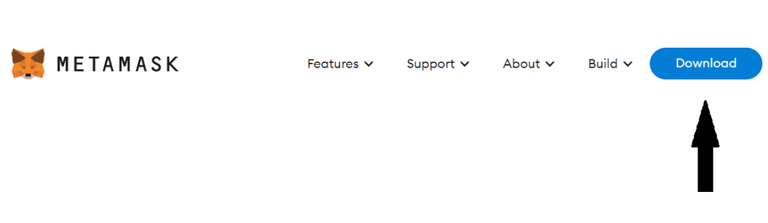
To install Metamask, go to MetaMask.io, select Android or iOS for mobile application, and select Chrome for desktop. You can also go directly to the Chrome store, Google Play store, or Apple App Store (soon). Click the download button. For users on a desktop, you can click the download button in the main navigation as per below.
Once you have installed the Metamask wallet, please ensure that you follow the prompts on the Metamask UI to correctly set up the wallet.
Step 2 - Fund wallet
After setting up MetaMask, you need to send the required funding token to your MetaMask wallet. Node Sales hosted on the Ethereum network will require ERC-20 funding tokens.

Step 3 - Connect and Explore
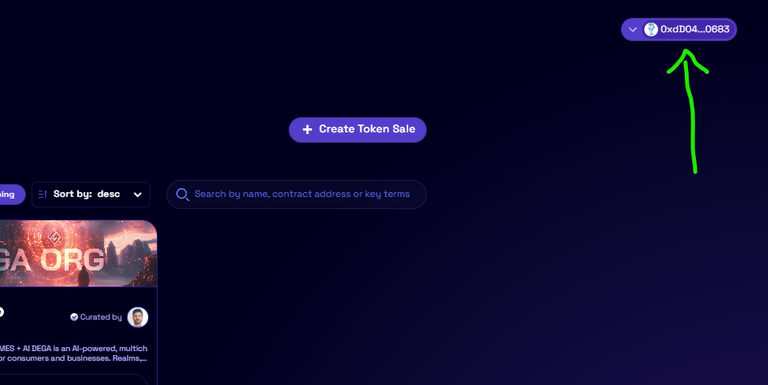
Now you have your funding tokens in your wallet, you can visit the website, and connect your wallet. Click the “Connect Wallet” button in the top right hand of the screen and choose your wallet.
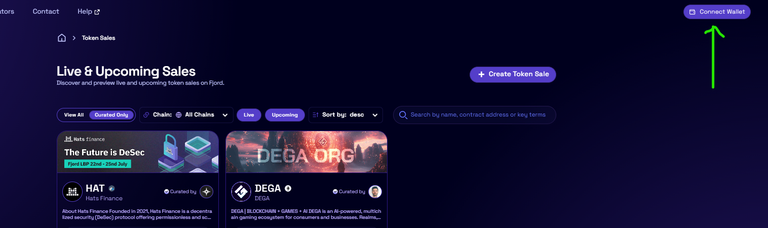
Your wallet will show it is connected once the “Connect Wallet” button in the previous section shows part of your wallet address.
Step 4 - Participate in the 0G Labs Node Sale
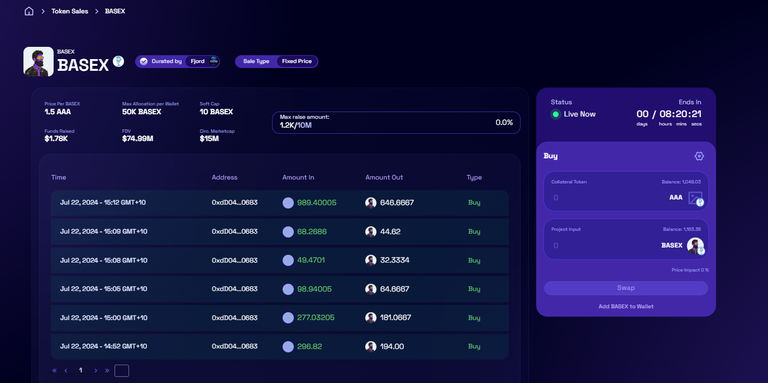
Once you have selected the Node Sale you wish to participate in, you will see a screen similar to the example below. The contents of the screen may vary depending on whether the sale is yet to start, in progress, or concluded. The example below shows a sale that is in progress.
🍀 Good luck!
Step-by-step Guide
Set up a wallet;
Fund wallet;
Connect and Explore;
Participate in the 0G Labs Node Sale.