

BitFi combines institutional-grade CeFi infrastructure with DeFi opportunities in a single CeDeFi asset management platform, letting users put BTC and stablecoins to work for native, managed yields. The platform runs on two core products - bfBTC for Bitcoin holders seeking liquid staking yields, and bfUSD for stablecoin-based customizable strategies.
$BFI powers the ecosystem as a utility and governance token, giving stakers access to rewards, platform benefits, and a voice in protocol decisions.
The project plans to raise $500k through an ICO hosted via Sonar, with participation taking place directly on its official website.
BitFi - ICO Round on Sonar Overview
100% at TGE
 Sonar Crypto Launchpad
BitFi - ICO Round on Sonar Round Result
How to join BitFi - ICO Round on Sonar?
The sale uses a pro-rata oversubscription mechanic, meaning if demand exceeds the $500K target, contributions are proportionally scaled down and excess funds are returned shortly after the sale closes.
To participate in the BitFi ICO on Echo, first sign up and verify your identity on echo.xyz using your X account: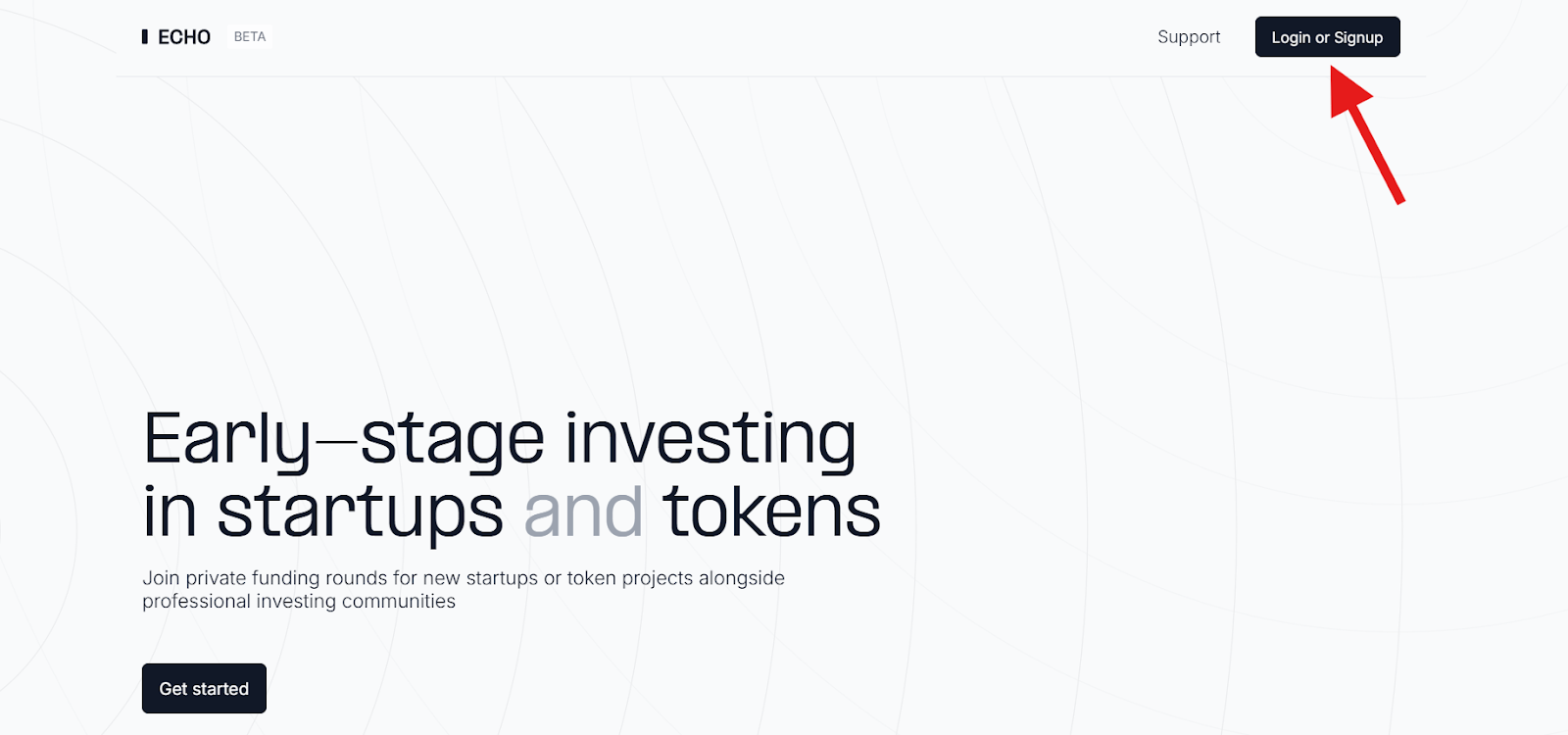
Start by completing the KYC verification to meet compliance requirements. After that, set up your Passkey Wallet directly on the platform.
Once your account is approved, you’ll be able to access curated investment groups led by experienced investors, offering early entry into startup and token deals.
Then, go to the official website, connect your wallet, and register a Sonar account: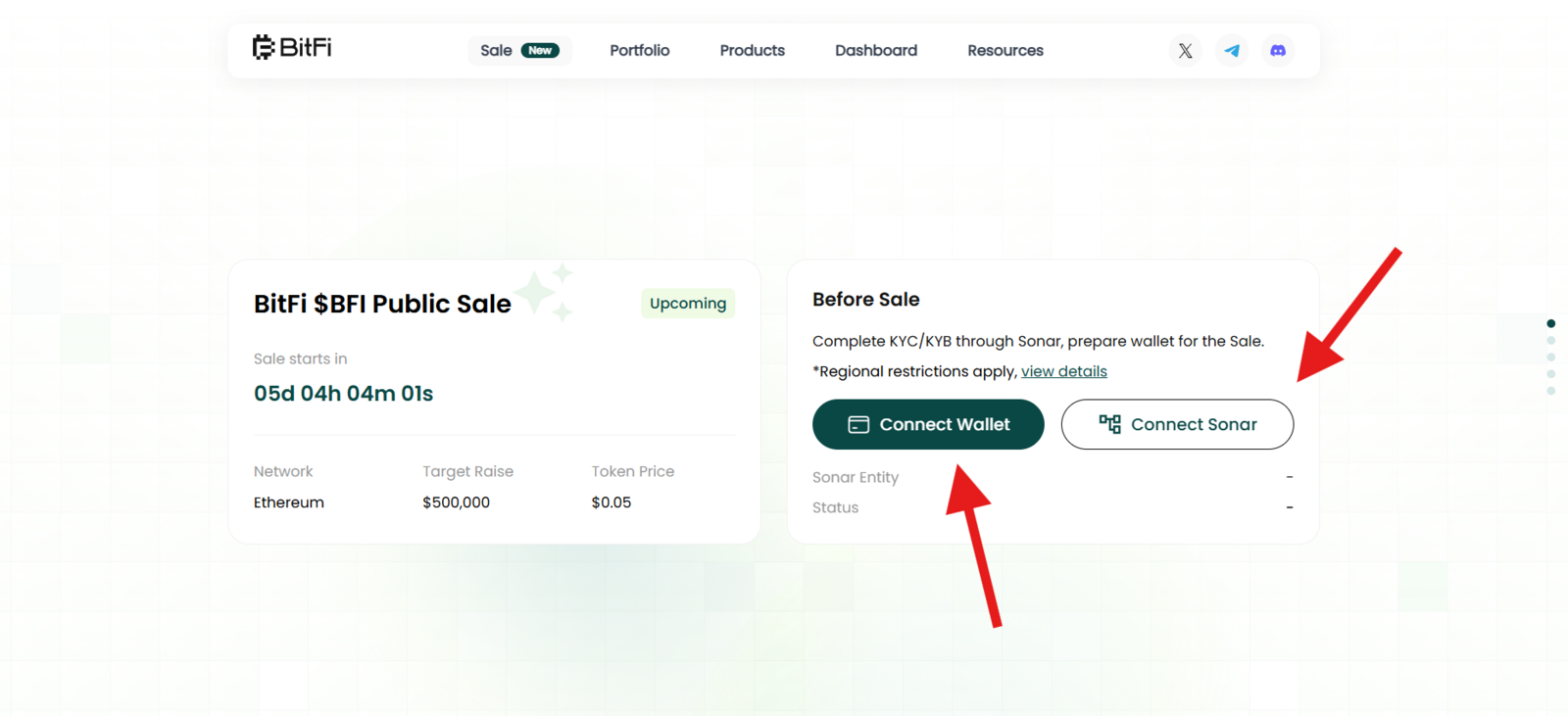
Finally, choose the desired amount of $USDC on the Ethereum network and swap for $BFI tokens.
Good Luck!
Step-by-step Guide
Sign up and verify your identity on echo.xyz with your X account;
Complete the KYC verification;
Create a Passkey Wallet;
Go to the official website, connect your wallet and Sonar account;
Invest the desired amount;
Claim your tokens.