

Ciforus
ICO Round
Active
22 May - TBA
Ciforus is a ZK-powered privacy app ecosystem that aims to let users enjoy everyday Web products without exposing sensitive data to service providers. It features secure email and wallet communication, encrypted file and note storage, PayLinks, and other tools.
$CIFORUS is the platform's utility token, primarily used for staking to earn yield and extended platform limits, discounted payment for platform services, incentivizing contributors, and token burns.
On May 22, 2026, the project launched a $CIFORUS ICO, aiming to raise $1.325M at a starting valuation of $2.5M and target token launch FDV of $7.5M.
Ciforus - ICO Round Overview
Ciforus - ICO Round Round Result
How to join Ciforus - ICO Round?
The $CIFORUS sale is designed as a three-phase round with different valuations and yet-to-be-disclosed lockup terms.
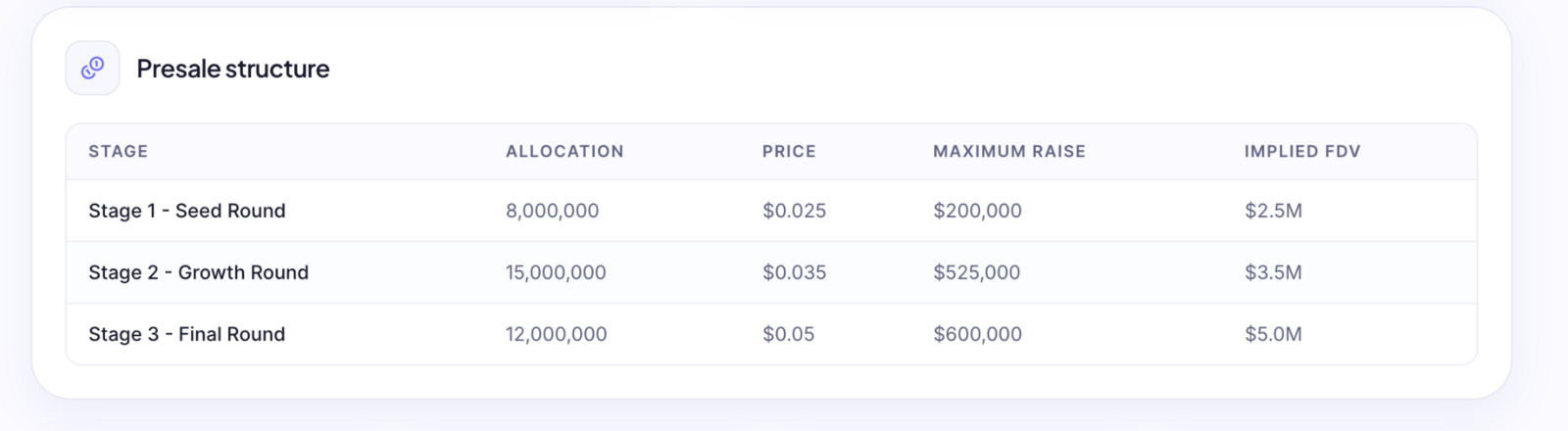
According to the sale page, the platform plans to conduct the Ciforus TGE in September 2026 at an FDV of $7.5M.
To participate in the $CIFORUS ICO, visit the sale page and enter the number of tokens you would like to purchase or the amount you wish to invest. You can also add your email to receive a receipt later.
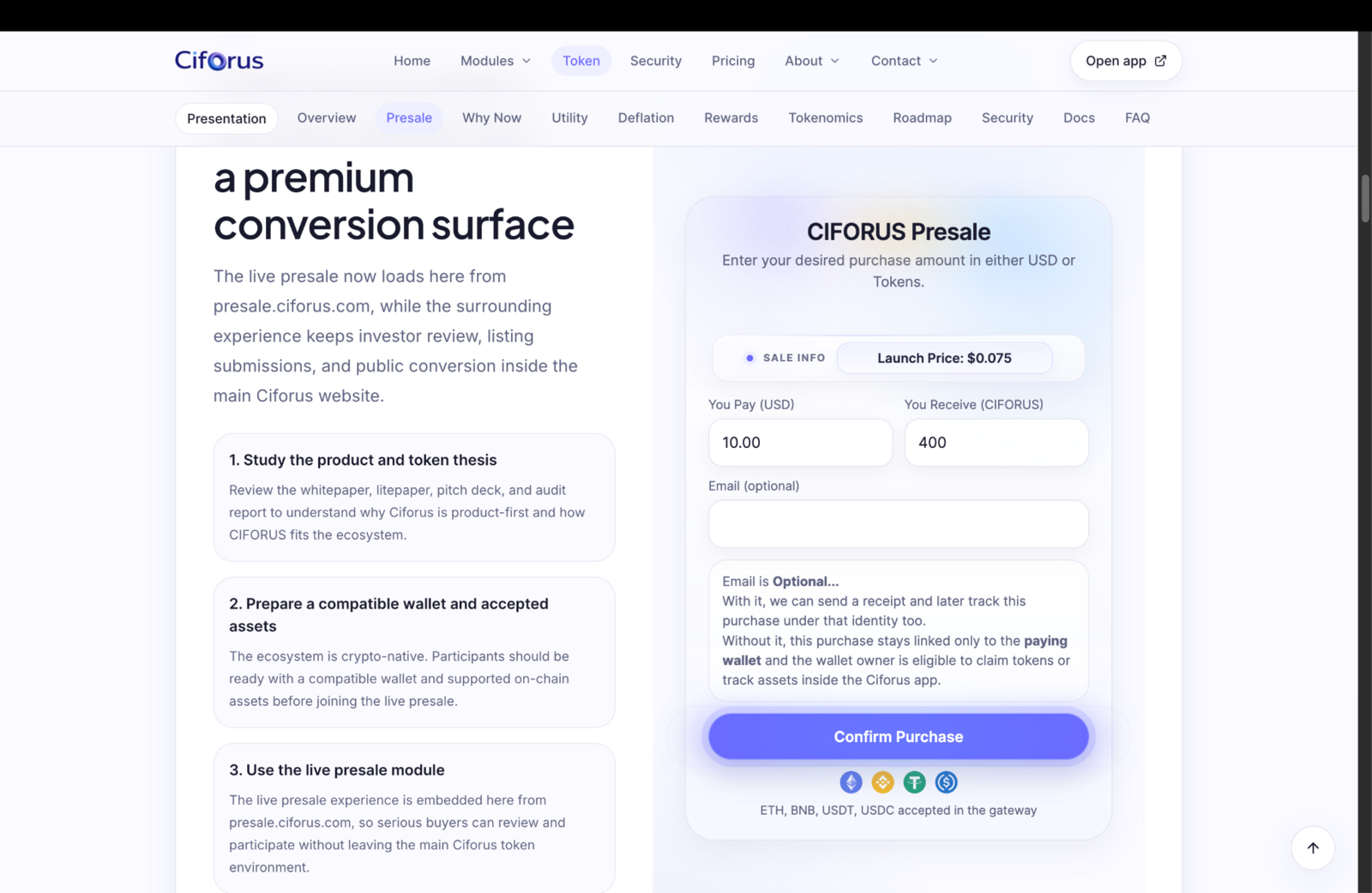
Once done, click the "Open Payment" button, which will redirect you to the checkout page with multiple network options. Choose your preferred currency and network, then send funds to the provided wallet address.
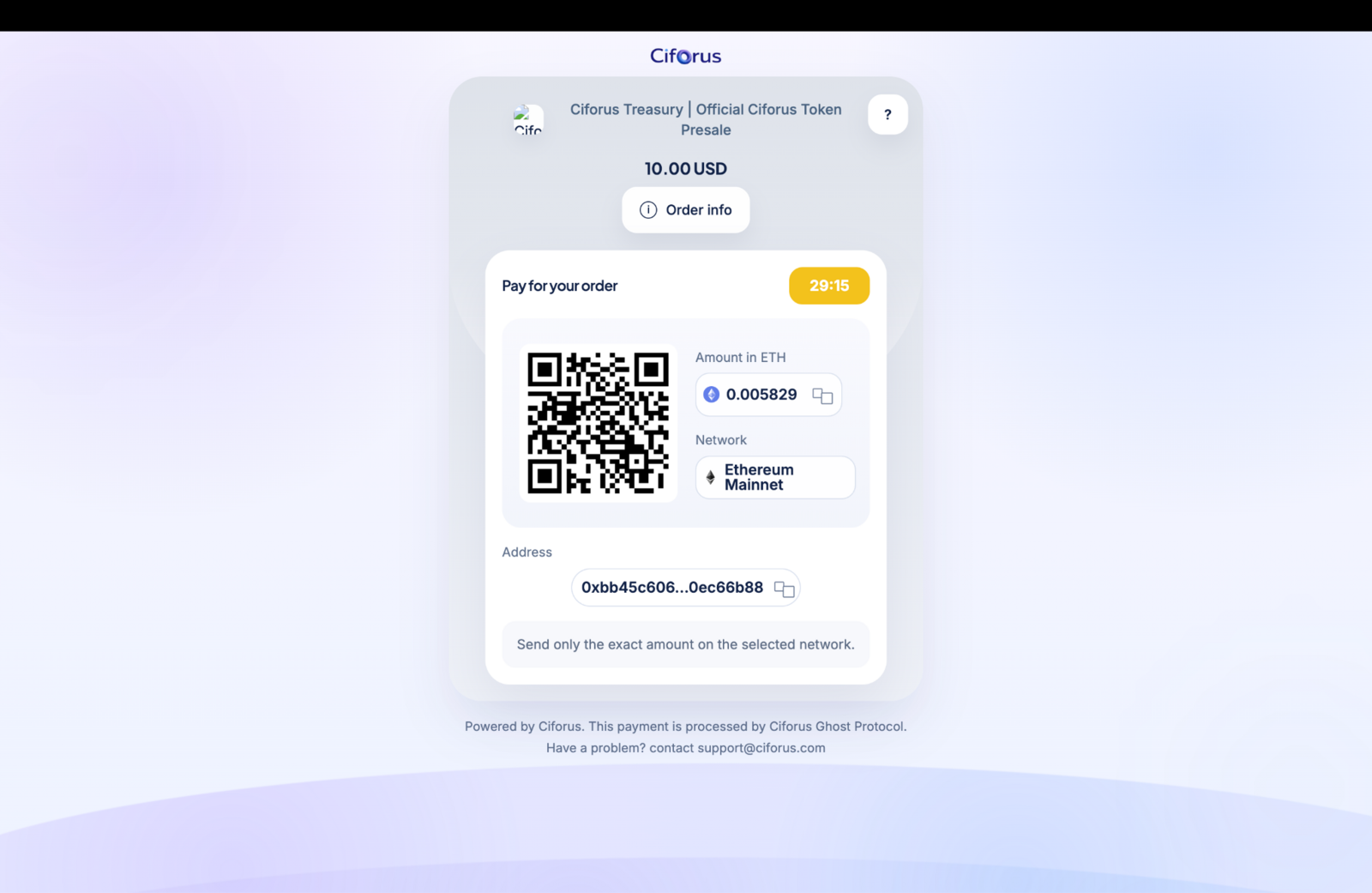
Make sure to send the exact amount on the selected network to confirm your order, then wait for the presale page to display your allocation or check your email for a receipt. Your allocation will be distributed at TGE.
Good Luck! 🍀
Step-by-step Guide
Visit the sale page;
Explore the token sale terms and implied FDV;
Select the amount of tokens you would like to purchase;
Click on the “Confirm Purchase” button;
Select the currency and network to pay for the tokens;
Deposit funds to the suggested address from your wallet;
Receive your token allocation on TGE.