

The Creator.Bid token public sale has raised an impressive $2.5M, marking a major milestone for the AI-driven launchpad. With an FDV market cap of $25M and 100% token unlock at TGE, the project is ready to growth at the AI Creator Economy on Base Blockhain.
Creator Bid lets users launch AI Agents in minutes, with 3,500+ Agents created and a $132M ATH market cap.
Creator Bid - Public Sale Overview
100% TGE
 Binance Alpha (Binance Wallet)
Creator Bid - Public Sale Round Result
Creator Bid - Public Sale Current Token Data
How to join Creator Bid - Public Sale?
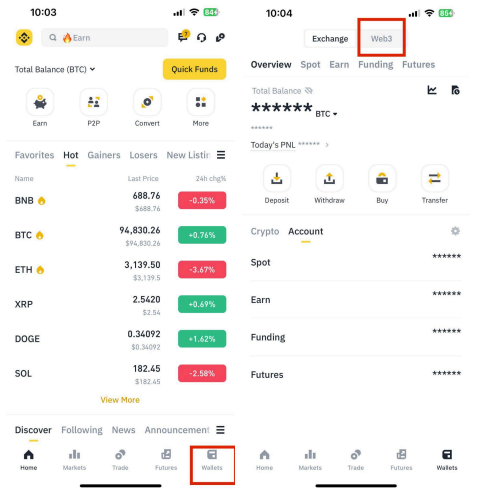
1. Log in to your Binance account and go to “Wallet” → “Web3” → ”Initial Offering”.
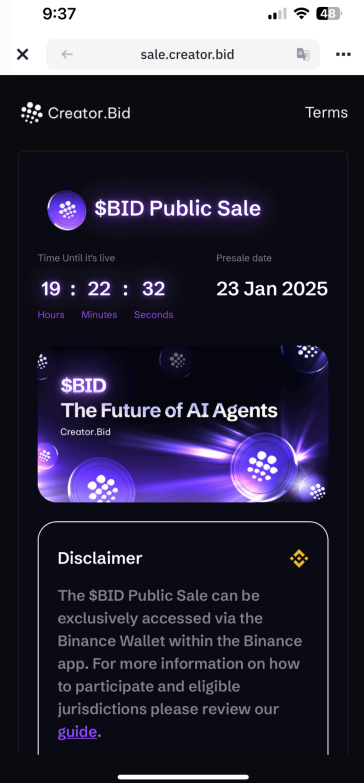
2. Click the Initial Offering Card on Binance Wallet homepage and enter into Initial Offering details page.
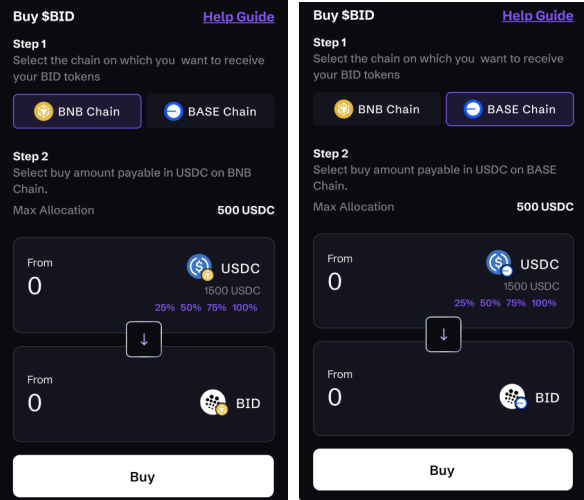
3. Connect with a backed up Binance Wallet (Keyless), you can purchase $BID with USDC on BNB Chain. Before purchasing $BID tokens, you need to select the address where they wish to receive the airdropped tokens. Users can choose an address on the BNB chain or Base chain to receive the purchased $BID tokens.
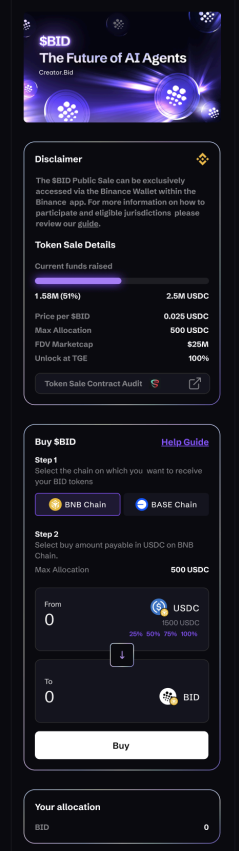
4. Purchasing $BID token, ll in purchasing number and click “BUY” button.
5. Your transaction is being processed.
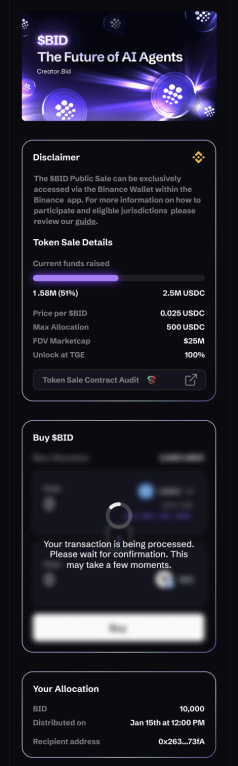
6. After the transaction is confirmed, a 'purchase successful' prompt will be displayed, and you can see your allocation under the prompt.
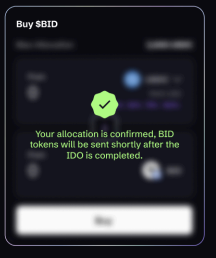
7. 2 hours after the Initial Offering is completed, $BID tokens will airdrop to your selected receiving Binance Wallet address.

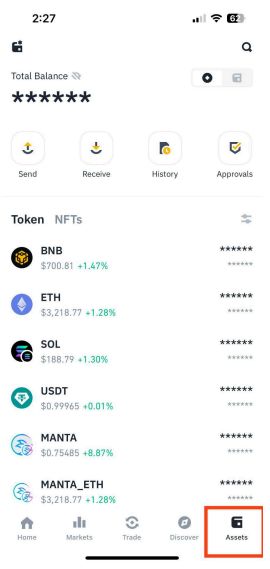
8. After receiving $BID tokens, you can view $BID tokens on the assets page of Binance wallet.
Step-by-step Guide
Log in to your Binance account and go to “Wallet” → “Web3” → ”Initial Offering”
Click the Initial Offering Card on Binance Wallet homepage and enter into Initial Offering details page.
Connect with a backed-up Binance Wallet (Keyless), you can purchase $BID with USDC on BNB Chain. Before purchasing $BID tokens, you need to select the address where they wish to receive the airdropped tokens.
When purchasing a $BID token, fill in the purchasing number and click “the BUY” button.
Your transaction is being processed
After the transaction is confirmed, a 'purchase successful' prompt will be displayed, and you can see your allocation under the prompt
2 hours after the Initial Offering is completed, $BID tokens will airdrop to your selected receiving Binance Wallet address.
After receiving $BID tokens, you can view $BID tokens on the assets page of your Binance wallet.