Apple Pay is the leading digital wallet, with a 54.8% market share in the US mobile payments market. It is effortless to use for both online and offline payments. When learning how to buy crypto with Apple Pay, the process is not so different from what you’d do when paying for goods on an e-commerce store.
A significant number of wallets and crypto exchanges support Apple Pay as a payment method. Simply pick Apple Pay as your preferred payment method, and you’ll have trouble-free purchases. Of course, you’ll have to add a debit/credit card to your Apple Pay or fund your Apple Cash wallet for the transaction.
But how to buy crypto with Apple Pay? We’ll take you through ten crypto platforms that support Apple Pay.
Best Platforms to Buy Crypto with Apple Pay in 2025
We have selected the best cryptocurrency platforms that accept Apple Pay. However, it is equally important to pick a platform that supports your chosen token and blockchain. So we have selected the best cryptocurrency platforms that support the most cryptocurrencies and blockchains. Here they are:
- goodcryptoX – Best Multi-chain, non-custodial platform
- MEXC – Best for full-on trading
- Metamask – Crypto wallet with a wide support of coins and tokens
- Exodus – Tamper-proof wallet with trading features support
- OKX – A Centralized and decentralized exchange on one platform
- Binance – A cryptocurrency exchange with a wide support of crypto and fiat currencies
- ByBit – A perfect option for mobile users
- KuCoin – A good platform for newcomers
Where Can I Buy Crypto with Apple Pay
Let’s learn more about our choice of platforms to buy cryptocurrencies with Apple Pay.
goodcryptoX
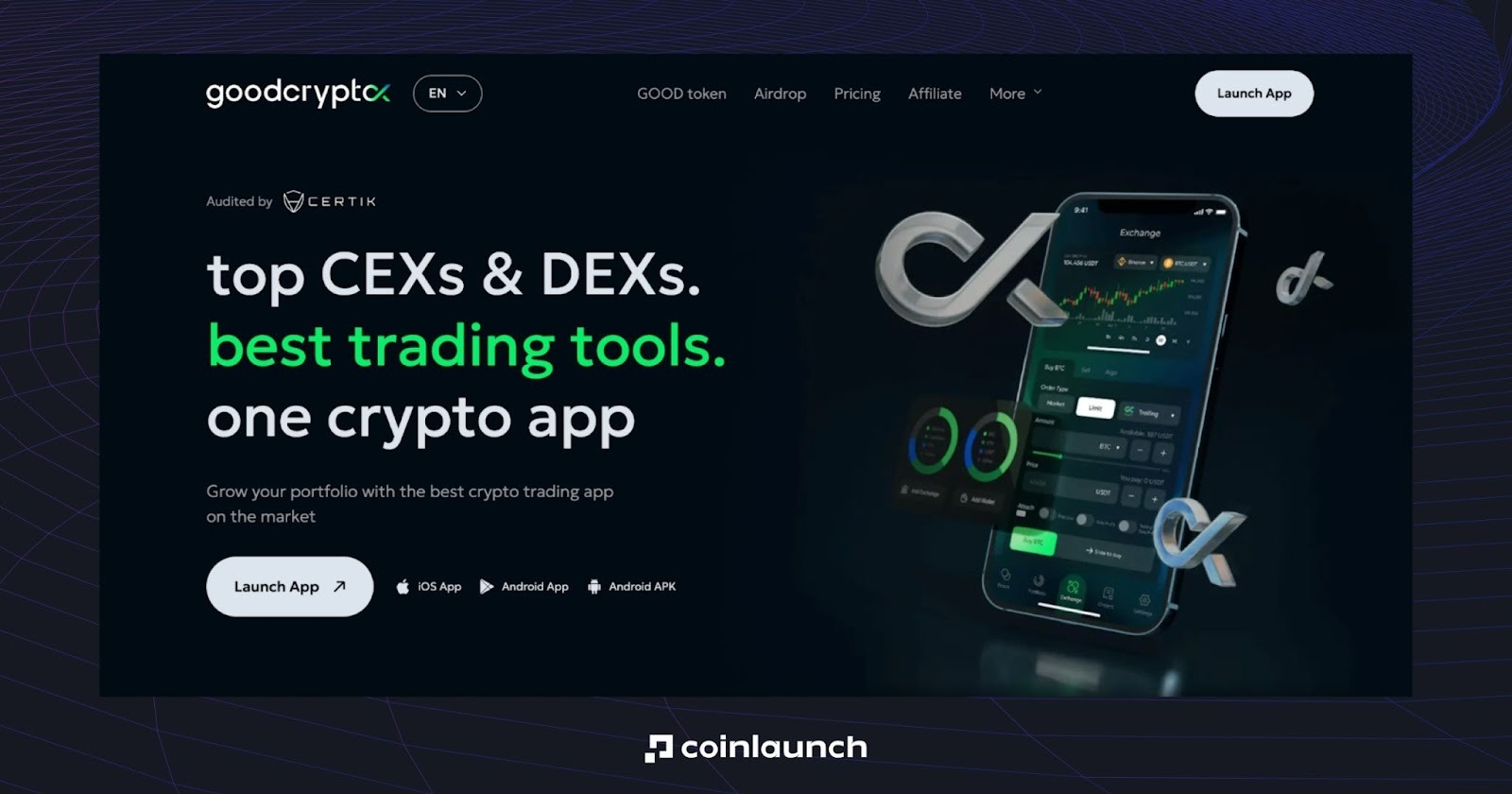
GoodCrypto is a premier multi-exchange CEX trading terminal & portfolio management.
You can easily buy crypto via the mobile app. To do this, open the goodcryptoX app, tap “DEXs” in the menu bar below, then choose “Buy crypto.” Select the coin from the drop-down list and the system will transfer you to the page of Banxa, the crypto on-ramp. Choose the fiat currency, enter the amount you want to pay, and pick Apple Pay as the payment method. Click “Create Order.”
If you’re new to Banxa, you need to pass KYC. For this, verify your email, provide complete billing information (name and last name, address, etc.), and provide you ID and tax ID (depending on your location).
Once you pass KYC, complete the transaction by double-clicking the side button and enabling Face ID. Once you confirm the transaction, crypto will be transferred to your goodcryptoX wallet.
Pros:
- 0% fee for buying crypto via Apple Pay
- Multicurrency support (USD, EUR, GBP, and 30+ other fiat currencies)
Cons:
- Replies from the support team may take a long time
MEXC
For a trading platform that offers a complete experience with storage capabilities, MEXC is still among the very best options on the market. It is a major player in both spot and futures trading, ultimately offering users a full set of features, including candlestick charting, order books, copy trading, and more.
To buy crypto with Apple Pay on MEXC exchange, users can tap the “Deposit” button (on app) or “Buy Crypto” → “Quick Buy” (on desktop), choose the Quick Buy/Sell option, and purchase BTC or any other coin via Apple Pay. However, users should complete KYC verification to use all the features of MEXC Global.
Pros:
- Wider support of fiat currencies (50+ available)
- First deposit bonus for users from CIS and Ukraine (10 USDT) and bonus for app installation (5 USDT)
Cons:
- It does not support fiat withdrawals
Metamask
MetaMask is one of the more recognizable non-custodial wallets in the cryptocurrency space. It was launched in 2016 and allows users to easily interact with Ethereum and dozens of other blockchains via a browser extension or mobile app.
Users can buy crypto via the MetaMask extension (“Buy & Sell” → “Move crypto” → “Buy”) or mobile app (“Menu” button → “Buy”). In the first case, it’s required to connect a MetaMask wallet to proceed with the purchase. Buyers can choose the best quote from industry-leading providers, which ensures affordability.
Pros:
- Quotes from top providers like PayPal, Robinhood, and Revolut
Cons:
- Does not support Bitcoin, but it allows converting BTC to WBTC.
- KYC as a third-party requirement for buying crypto using MetaMask's partners
- High fees, lack of support services
Exodus
Exodus is a complete Web3 wallet that allows users to store, send, receive, and purchase Bitcoin, additional altcoins, and NFTs. Exodus wallet is available on multiple device formats: a Web3 Wallet app, a mobile app, and a desktop app.
In each case, you can buy crypto by clicking the “Buy & Sell” icon → “Buy” tab. Choose the fiat currency, the cryptocurrency to buy, and the amount.
Exodus crypto wallet does not charge direct fees when users purchase crypto in the wallet. Users are funneled through third-party partners such as Blockchain.com Pay and MoonPay, which apply their fees as market conditions allow.
Pros:
- User-friendly and easy to get started
- In comparison to other Web3 wallet services, Exodus has strong levels of customer support, which are accessible 24/7
Cons:
- High card purchase fees paid to Exodus partners.
- The purchase of crypto on Exodus partners’ sites requires personal details.
- The user can only buy crypto worth up to $5,000 per transaction/day using Apple Pay.
OKX
OKX is another platform that offers swift purchase of crypto with Apple Pay. To do this, enter the “Buy Crypto” section on the OKX wallet app, choose the cryptocurrency and amount, and select “Apple Pay” as the payment method.
Attention! Apple Pay isn't supported on web or Android devices at this time.
Pros:
- Low fees for buying crypto with Apple Pay
Cons:
- Regional limitations and less comprehensive support
- Users should pass the KYC to use this payment method
Binance

Binance is still regarded as the largest cryptocurrency exchange in the world by daily trading volume. It is a safe platform for users to buy and sell digital assets, and users can trade Bitcoin with no transaction fee on select spot pairs. However, Binance provides a surprisingly wide variety of alternative features and payment flows.
On “Buy” tab on the Binance crypto exchange, you can click “Add Funds” → “Buy with.” Then, choose the fiat currency and amount, the crypto you want to buy, choose “Apple Pay” as the payment option, and click “Buy.” Check the amount, proceed, and confirm the payment with the side button via double click to pay as instructed.
Please note that Binance currently does not support Apple Pay on Android apps.
In addition, you can redeem crypto vouchers with Binance Gift Cards and get BTC, ETH, and other supported assets.
Pros:
Cons:
- The user should pass KYC to buy crypto
ByBit
Bybit is one of the most prominent players in the crypto exchange world. With operations in 160 countries, it claims to have over 66 million users, to offer over 1,770 cryptocurrencies, and to regularly have a daily trading volume of over $50 billion.
To buy crypto on the Bybit exchange, you can visit the One-Click Buy page. On the “Buy” tab, choose the fiat currency and crypto you want to buy, enter the amount, and pick “Apple Pay” as the payment method.
Pros:
- 20+ fiat currencies are supported for buying crypto via Apple Pay
Cons:
KuCoin
KuCoin allows users to access a wide array of derivatives, such as coin-margined contracts, leveraged tokens, and futures benefits. From a trading perspective, it offers spot trading, market trading, pre-market trading, API support, an instant crypto converter, and a pro-level trading bot, allowing users to automate strategies without additional intervention.
Purchasing crypto on the KuCoin exchange is easy, both via app and website. To buy crypto from your smartphone, go to “Assets” → “Deposit” → “Buy Crypto.” Select the currency you want to pay with and the crypto you want to buy. After that, tap Buy, and select Apple Pay as the Payment Method.
On the website, you can click “Buy Crypto” → “Fast Trade.”
Pros:
- 20+ fiat currencies are available
Cons:
- Not available in the U.S.
- Mandatory KYC
- High fees
Pros and Cons of Buying Crypto with Apple Pay
Here is a brief summary of the benefits and disadvantages of purchasing Bitcoin with Apple Pay.
Advantages
- Higher level of security, since your actual card details are never made visible during the transaction
- Apple Pay makes transactions swift, smooth, and frictionless
- Works in the broader Apple ecosystem (You can use it from your Apple Watch, for example)
- Much lower exposure to phishing attempts than filling in your card information yourself
- You can easily monitor your transactions inside your Apple Wallet
Disadvantages
- Additional fees or higher prices can be present on some exchanges
- Buying crypto with Apple Pay is only available on certain exchanges and platforms
- Some exchanges still require KYC checks, even for Apple Pay transactions
Where to Buy Crypto With Apple Pay With No KYC
You can purchase crypto with Apple Pay and no KYC, only through completely non-custodial platforms without identity verification. They include peer-to-peer marketplaces, decentralized exchanges (DEXs), and non-custodial wallets that support Apple Pay on-ramps without mandatory ID verification.
Buying Bitcoin with Apple Pay Vs. PayPal Vs. Credit Card
Each of the three payment options is a secure and acceptable approach to purchasing crypto from wallets and exchanges. The differences begin to emerge when you use a payment method within its ecosystem. For instance, if you are in the Apple universe (iPhone, iPad, macOS), buying crypto with Apple Pay will be a much smoother experience than using an online wallet (PayPal) or a credit card.
This is how Apple Pay is distinct:
- Speed of Transaction
Apple Pay is instant for buying, just like PayPal or credit cards; however, if you purchase using PayPal or a credit card, it often takes 1 to 3 days to withdraw funds. - Fees
Apple Pay does not charge you processing fees directly. However, if you use Apple Cash for an instant transfer, it is a minimum of 1.5%. PayPal or a credit card can charge up to 6% based on the platform's policy. - Availability
Credit cards offer, by far, the most support to the exchanges and crypto platforms. PayPal is next. Apple Pay is last because you can only use it on an Apple device. - Security
With Apple Pay, your card data is never exposed, and you can add another layer of security with biometrics. PayPal and credit cards do offer buyer protection. However, a credit card would most likely prove the least safe because it is most often susceptible to chargebacks and attempted fraud.
If you use an iPhone, iPad, or macOS, Apple Pay provides the easiest way to buy crypto.
Can You Buy Crypto with Apple Pay
When you wonder, “Can I buy crypto with Apple Pay?” the answer is “Yes”. You can buy cryptocurrency with Apple Pay on a number of platforms mentioned above. This is a faster, more convenient way to pay. One example is the Exodus wallet, which states you can make purchases “with your credit card, debit card, or Apple Pay”.
Why Can't I Buy Crypto with Apple Pay
On the other hand, you may think, “Why can’t I buy crypto with Apple Pay?” There are various reasons: your card may not be supported, your bank or card issuer may be blocking crypto-exchange merchant codes, your region may not allow Apple Pay for crypto purchases, or you have exceeded the purchase amount limits.
Final Thoughts
For newcomers making the occasional small crypto buys, the additional cost of using Apple Pay isn't a big concern. The additional cost of a few dollars per transaction is considered well worth it compared to the processing involved in a wire transfer.
For larger investment amounts, the math will be different. If you find yourself making crypto purchases more often or with a higher balance, it's a viable option to first deposit money on an exchange. After that, you can buy crypto based on your exchange balance. The spreads, as well as the maker/taker fees, will be significantly lower than those for Apple Pay payments.
In the end, it’s all about your goals, frequency, and investment scale. Do your research and choose the payment option that is perfect for you.